
博客美化:Table美化方案
效果对比
| 原生样式 | 美化样式 |
|---|---|
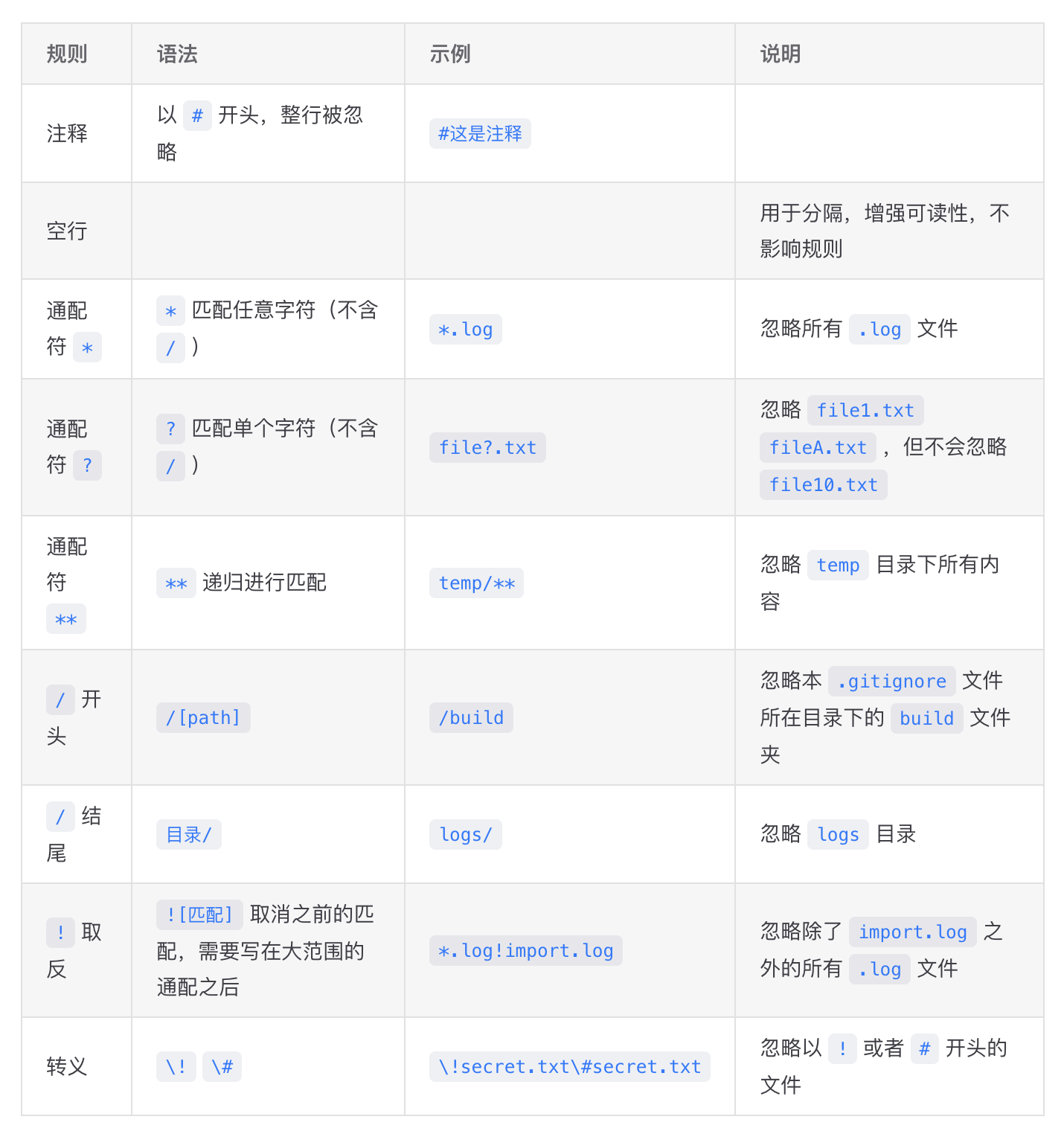 | 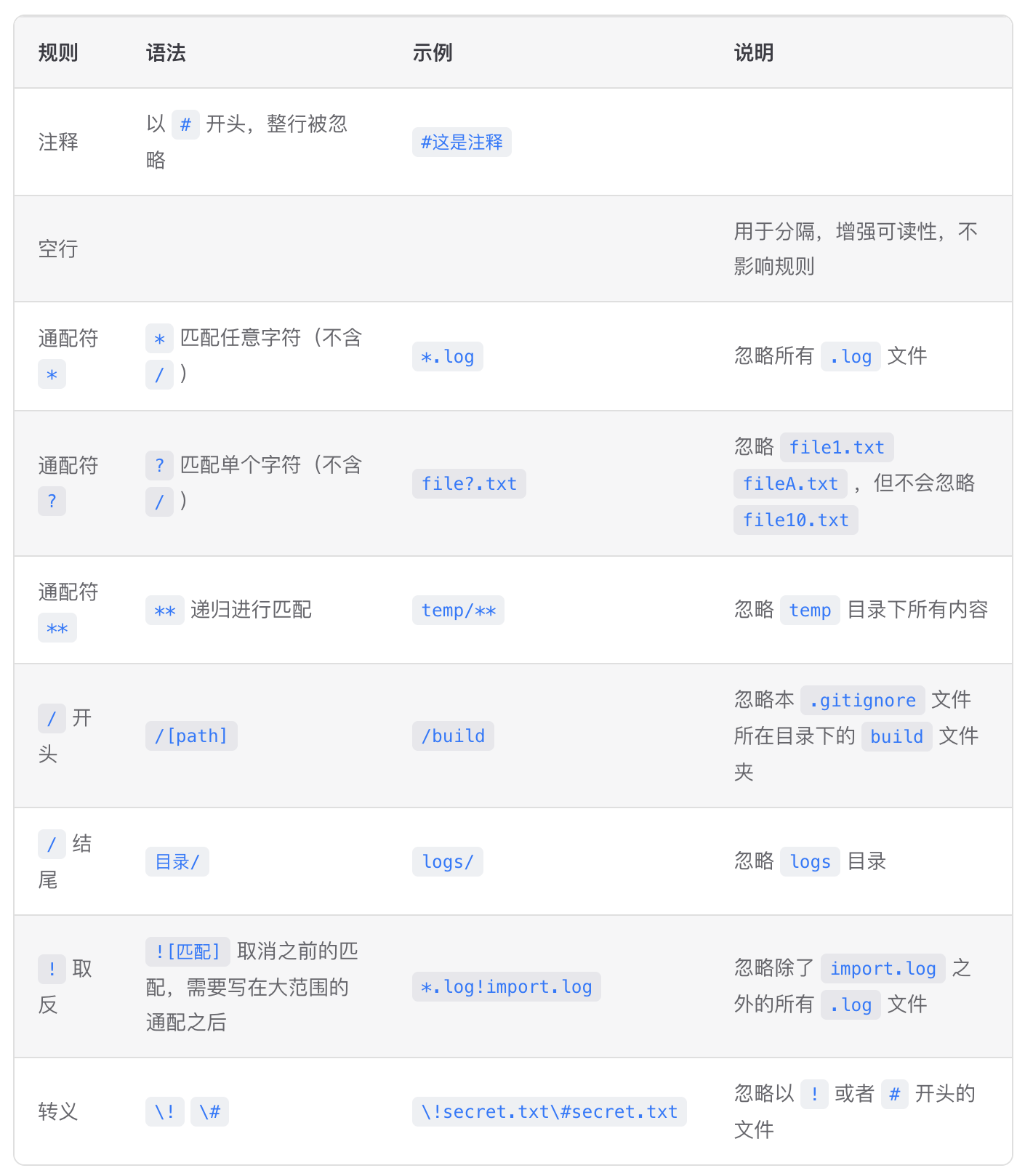 |
可见,美化后表格自动居中,且表格各列宽自动适配并拉伸。
配置
<div> 自动包裹 <table>
为了方便设置样式,我们需要给全局 <table> 标签外自动包裹上一层 <div> 标签,进而为控制此 <div> 的样式做准备。
这里我选择采用 Vitepress 原生的 markdown 扩展配置。你只需要在对应位置添加高亮代码即可。
ts
import { defineConfig, type DefaultTheme } from "vitepress";
// ...
export default defineConfig({
  // ...
  markdown: {
	// ...
    config: (md) => {
      // 保存原有的table渲染器
      const defaultRender =
        md.renderer.rules.table_open ||
        ((tokens, idx) => {
          return "<table>";
        });
      // 自定义table渲染
      md.renderer.rules.table_open = (tokens, idx) => {
        // 获取用户自定义的类名
        const className = "custom-table-container";
        return `<div class="${className}"><table>`;
      };
      // 确保table结束标签后,div标签正确关闭
      const defaultTableClose =
        md.renderer.rules.table_close ||
        ((tokens, idx, options, env, self) => {
          return "</table>";
        });
      md.renderer.rules.table_close = (tokens, idx, options, env, self) => {
        return `${defaultTableClose(tokens, idx, options, env, self)}</div>`;
      };
      // ...
    },
    // ...
  },
});设置全局 <table> 样式
创建样式文件 📄:.vitepress/theme/style/tableCustom.css ,填写内容如下:
css
/* 表格容器样式 */
.vp-doc .custom-table-container {
    min-width: 90%;
    margin: 1.5rem auto;
    overflow-x: auto;
    border-radius: 8px; /* 表格容器圆角 */
    border: 1px solid var(--custom-border); /* 外边框 */
}

/* 表格基础样式 */
.vp-doc table {
    display: table;
    width: 100%;
    table-layout: auto;
    border-collapse: collapse;
    margin: 0;
    font-size: 14px; /* 稍微减小字号,更精致 */
}

/* 表头样式 */
.vp-doc thead {
    background-color: var(--custom-block-info-bg);  /* 使用自定义的淡灰色背景 */
    border-bottom: 1px solid var(--custom-border);
}

/* 表头单元格样式 */
.vp-doc th {
    white-space: nowrap;
    text-align: left;
    padding: 12px 16px;
    margin: 0;
    font-weight: 600;
    color: var(--vp-c-text-1);
    border: none; /* 移除默认边框,只保留底边框 */
}

/* 表格单元格样式 */
.vp-doc td {
    padding: 12px 16px;
    text-align: left;
    margin: 0;
    border: none;
    border-top: 1px solid var(--custom-border); /* 行间分隔线 */
    color: var(--vp-c-text-2);
}

/* 表格行 Hover 效果 - Notion/MacOS 风格 */
.vp-doc tbody tr:hover {
    background-color: var(--vp-c-bg-soft);
}

/* 确保表格在小屏幕上也能正常显示 */
@media (max-width: 768px) {
    .vp-doc .custom-table-container {
        margin: 1rem auto;
        padding: 0;
        border: none; /* 移动端移除外边框以增加可视面积 */
    }
}在总样式文件 📄:.vitepress/theme/style/index.css 中进行引入
css
@import './tableCustom.css';配置说明
本次更新引入了以下 CSS 变量,请确保你的主题(通常在 colorCustom.css 或 var.css)中已定义这些变量,以保证最佳显示效果:
--custom-border: 表格容器外边框及行间分隔线颜色。--custom-block-info-bg: 表头背景色,推荐使用淡灰色。--vp-c-text-1: 主文本颜色(VitePress 默认变量)。--vp-c-text-2: 次要文本颜色(VitePress 默认变量)。--vp-c-bg-soft: 表格行 Hover 背景色(VitePress 默认变量)。
效果验证
在你的 markdown 文档中,粘贴下述内容,验证效果
md
|  这   | 是一  | 个用于验证 |  的  | 表格demo |
| :--: | :-: | :---: | :-: | :----: |
|  宽度  |  会  |   跟   |  随  |   列宽   |
| 自动调整 | , | 并且表格 | 整体 | 居中 | RyanJoy